Launcher Studio

Launcher Studio is a native GTK4 application specifically designed for the GNOME desktop environment. It provides a streamlined interface to create, edit, and manage .desktop files (application launchers) on Linux.
It simplifies the process of integrating AppImages, scripts, or custom applications into the system menu without manually editing text files.
Key Features
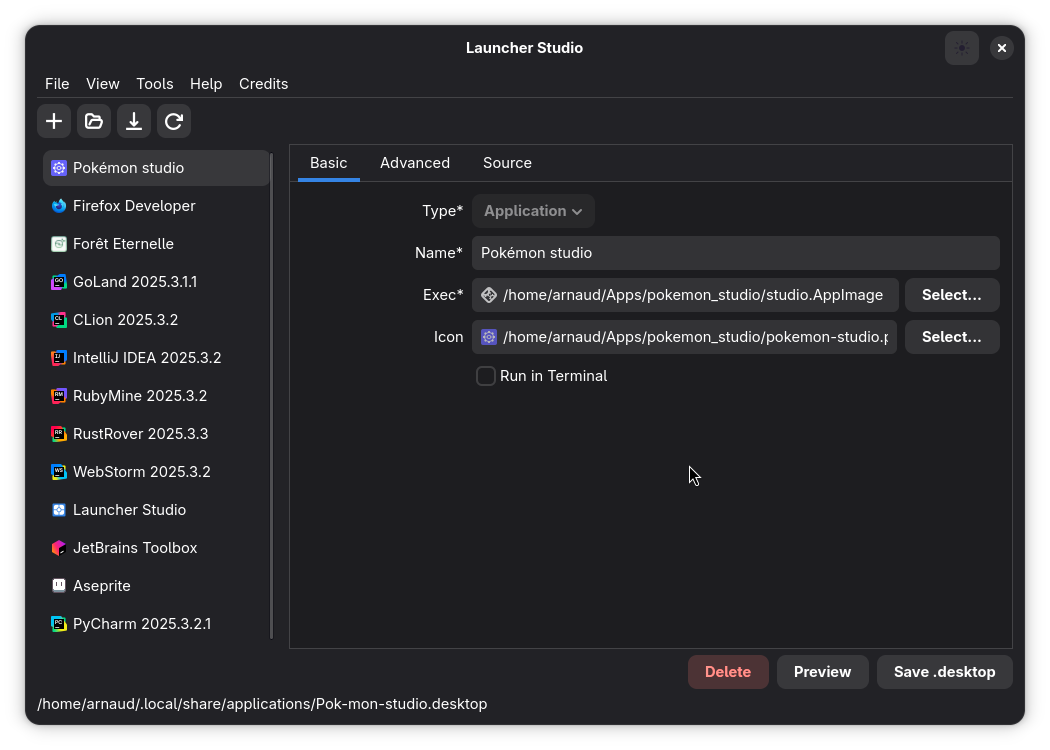
Intuitive Editor
Forget manual .desktop file editing. The user-friendly interface lets you set the application name, executable path, and icon in seconds.
It ensures your launchers are syntactically correct and ready to use immediately.
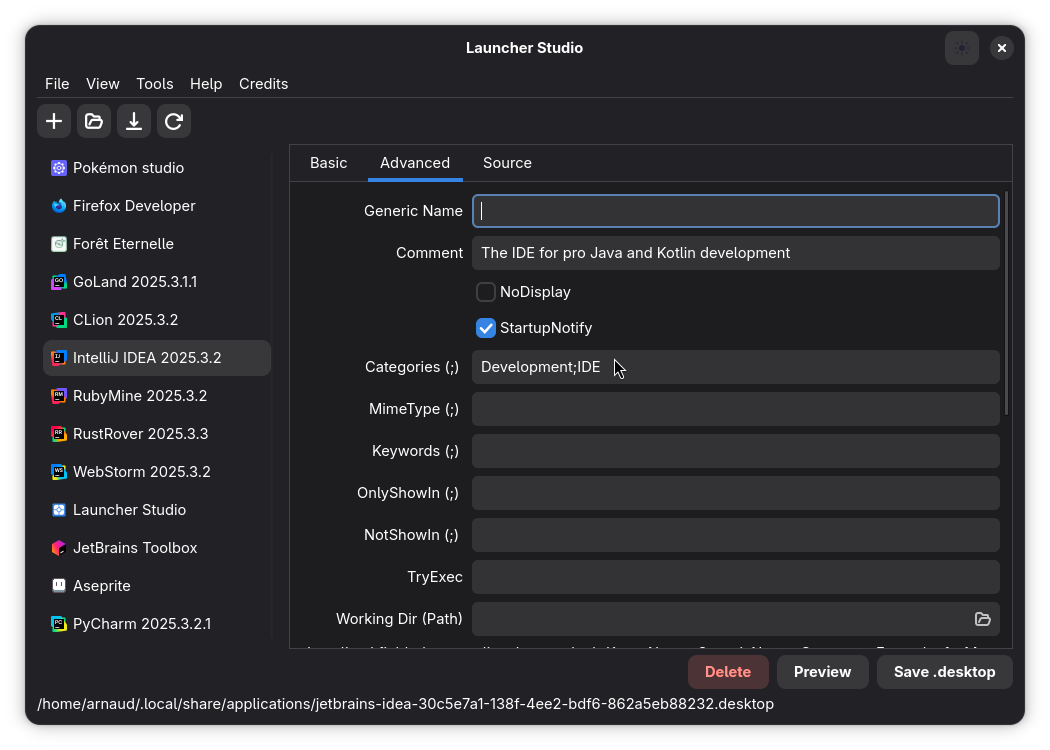
Advanced Configuration
Go beyond the basics with full control over Category management, Keywords, MIME types, and Startup notifications. Launcher Studio exposes all the advanced features of the Desktop Entry Specification in a clean UI.
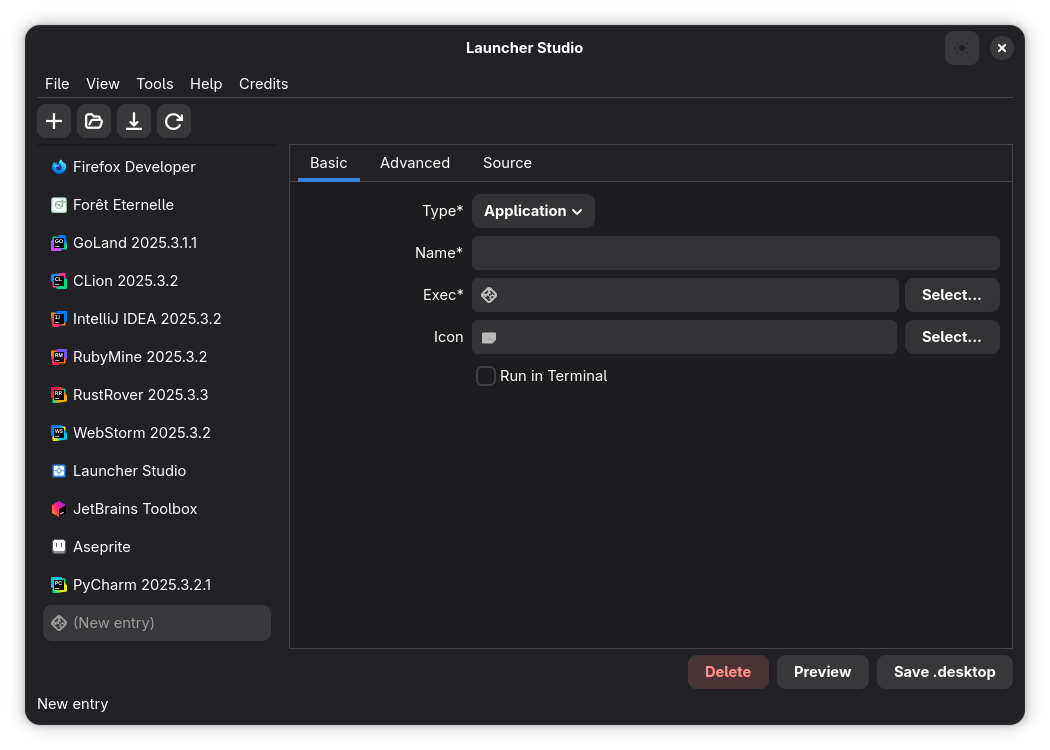
Native GNOME Design
Built with Libadwaita, Launcher Studio feels right at home on your desktop. It automatically adapts to your system theme (Light/Dark mode) and follows the latest GNOME Human Interface Guidelines for a consistent experience.
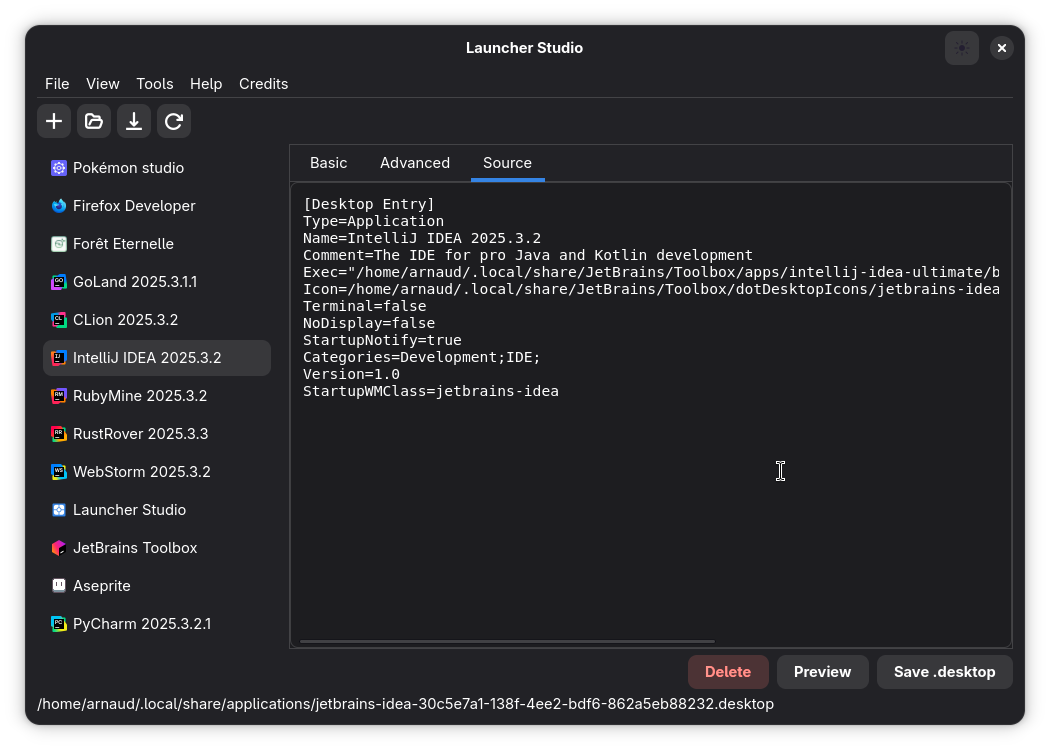
Raw Source Inspection
For power users who want transparency, the Raw Source View lets you inspect and manually tweak the generated .desktop file content in real-time.
You get the convenience of a GUI with the flexibility of a text editor.
Technical Stack
Development & Release
Launcher Studio is available on Flathub, the largest app store for Linux.
- Initial Release: v0.1.0 (Feb 4, 2026)
- Latest Update: v0.1.2 (Feb 16, 2026) - Improved file dialogs and UX.
The project is open-source and hosted on GitHub.